
The internet is nothing more than a network of interconnected computers exchanging information with one another. You have probably heard people talk about servers while picturing vast factories full of machines, but a server is in fact simply a computer like any other, whose job is to provide data and services to other devices.
When you visit a website, your computer, known as the client, sends a request to a server, which replies by sending back the information requested.
How does my computer find the right server?
This opens up a world of protocols, standards and assorted technologies, but to keep things short let us picture the same situation in the physical world.
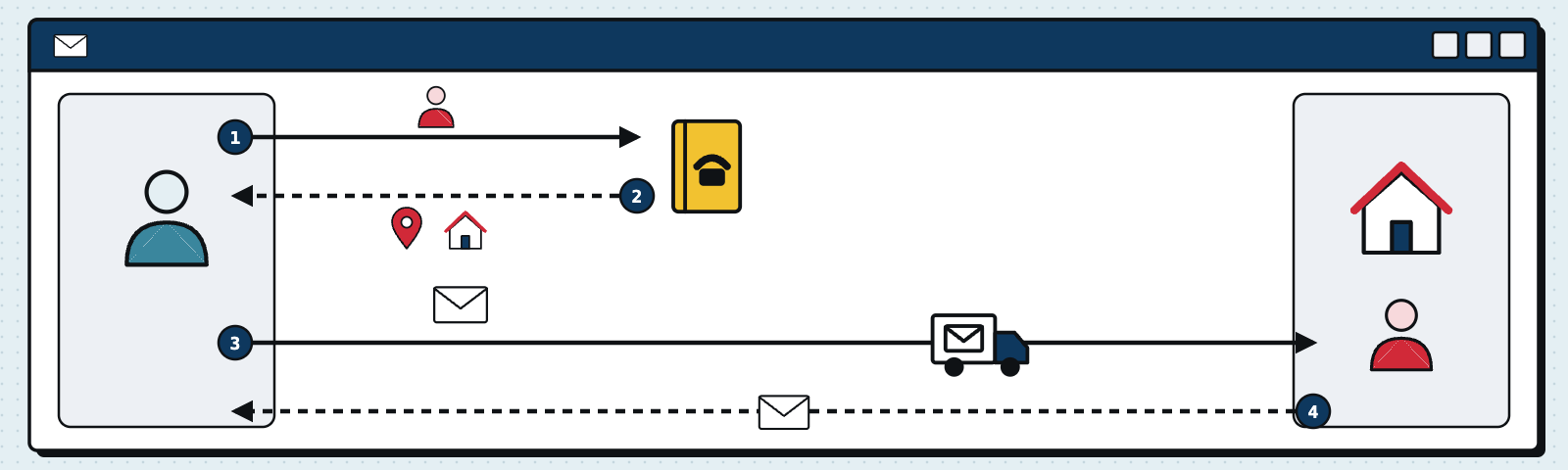
I want to send someone a question by letter and I expect an answer. I know the person’s name, but not their address. Telephone directories once existed: I would have opened the directory, looked up the town where the person lived and then their name, and from there I would have found their telephone number and address (today, fortunately, this data is protected by privacy law and no longer so easy to come by). I would then have posted the letter with my question, writing my own address on the envelope as the sender, so that the reply could reach me.
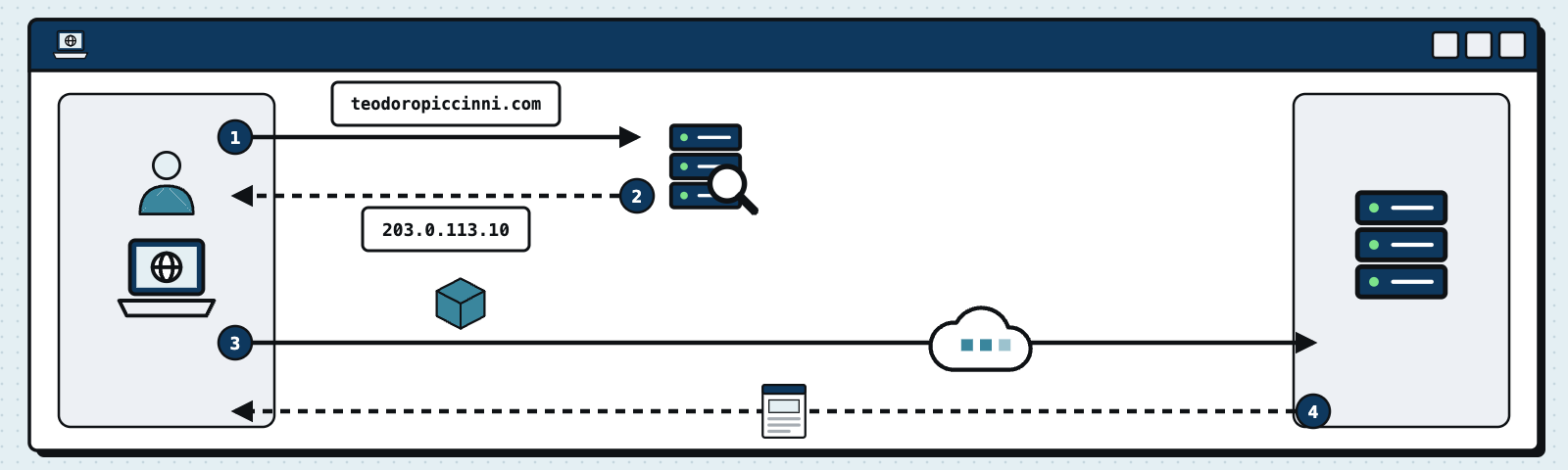
On the internet the person’s name becomes the domain (www.teodoropiccinni.com) and the directory that lets me find its address is called DNS, or Domain Name System, which translates the name of the site into the IP address of the server to connect to. My question is the payload, that is, the actual content of the message, while the sender’s and recipient’s addresses sit in the header, exactly as they do on an envelope. It is thanks to the sender’s address that the server knows where to send its reply — the web page, the file, and so on — once it has processed the request.
I will not go into detail here about what IP addresses are: it is enough to know that every device reachable on the internet has a public address, much like a home address, which allows others to find it.
Understanding what DNS is, on the other hand, does matter, because managing your domain’s DNS configuration is precisely what is at stake when we talk about the importance of domain management. DNS works like the telephone directory of the internet: it translates the name of your site into an IP address, so that visitors can reach it easily. Beyond that, however, it publishes a great deal of information that is vital to your business online. MX records, for instance, indicate which server handles your domain’s email, while TXT records hold the configurations (SPF, DKIM and DMARC) that authenticate your messages and keep them from being treated as spam. A mistake in your DNS configuration can therefore make your site unreachable, or send your email straight to the spam folder.
What looks like a single click, then, is a conversation between two machines that have to find each other first. And the address book they rely on to do so is your domain: which is exactly why it is worth knowing who controls it and how it is configured.